Job Information Change on Behalf of an Employee by a Supervisor
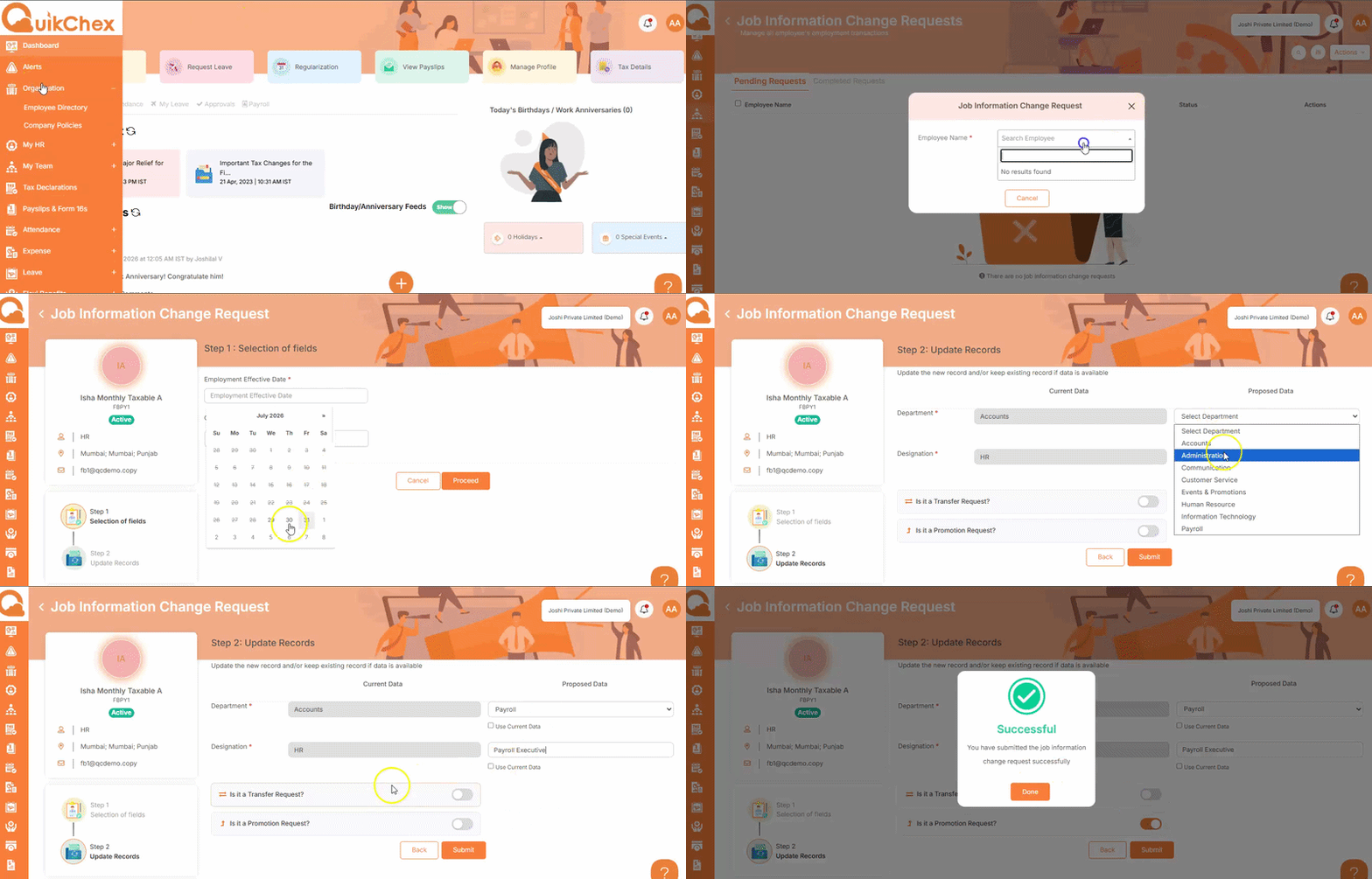
This feature enables supervisors to initiate and submit job information change requests for employees. Supervisors can update employee job details, such as transfers, promotions, or other employment-related information, by selecting the required fields, entering the updated data, and submitting the request with the appropriate effective date.
- Go to My Team.
- Click Job Information Change Request.
- Select Action and then click Initiate Job Information Change Request.
- Enter the Employee Name.
- Enter the Employment Effective Date.
- Choose the field(s) that need to be updated and click Proceed.
- Enter the updated information in the selected field(s).
- Select the appropriate option, such as Transfer or Promotion, based on the type of job information change.
- Review the entered details and click Save to submit the request.