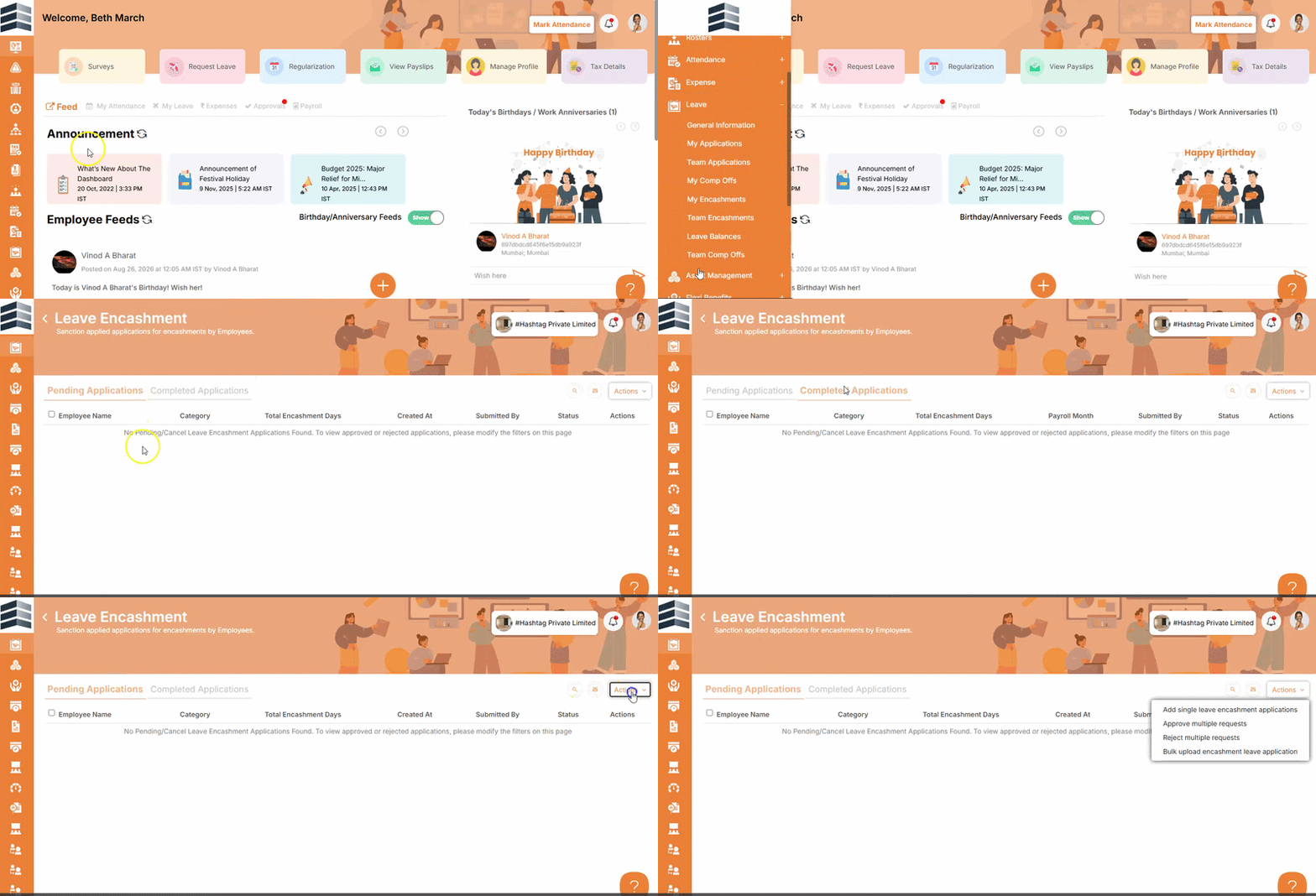
How to View and Take Action on Team Engagement Applications
Overview
The Team Engagement section in the Quikchex Employee Portal allows Reporting Supervisors to view and take action on applications submitted by their team members.
Reporting Supervisors can review individual applications and either approve or reject them. Multiple applications can also be processed in bulk.
Steps to View Team Engagement Applications
- Log in to the Quikchex Employee Portal.
- Go to the Leave module.
- Click on Team Engagement.
- The applications submitted by your team members will be displayed.
Steps to Approve or Reject an Individual Application
- Go to Leave → Team Engagement.
- Locate the required application.
- Review the application details.
- Select the appropriate action:
- Approve
- Reject
- Proceed with the selected action.
View Approved Applications
Once an application has been approved, it can be viewed under the Completed section.