How to allow Level-Up and HOD to Create, Approve or Reject Leave Application of their Subordinates?
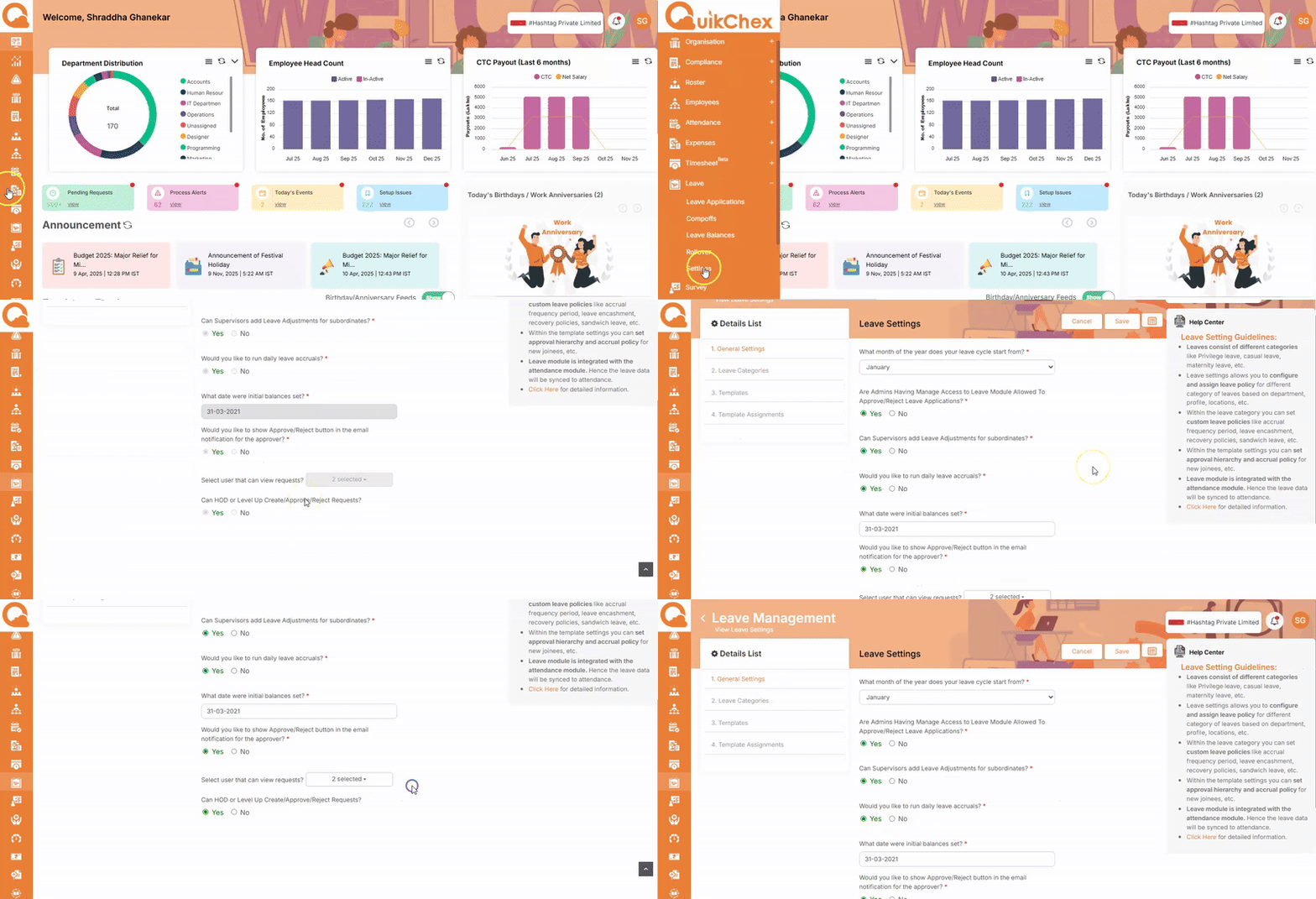
To allow Level-Up and HOD to Create / Approve / Reject Leave Application on behalf of their Subordinates:
- Go to the Leave Module, then open Settings and navigate to General Settings.
- Look for the section “Select users that can view requests.”
- In this section, find the option “Can HOD or Level-Up Create/Approve/Reject Requests?”
- Set this option to Yes to allow HODs and Level-Up managers to create, approve, or reject Leave Applications for their subordinates.
- Save the settings to apply the changes.