How to Restrict Employees from Applying Leave During Notice Period ?
To ensure better workforce planning and avoid unplanned absenteeism, you can restrict employees from applying for leave once they enter their notice period. This setting can be configured at the leave category level based on your organization’s policy.
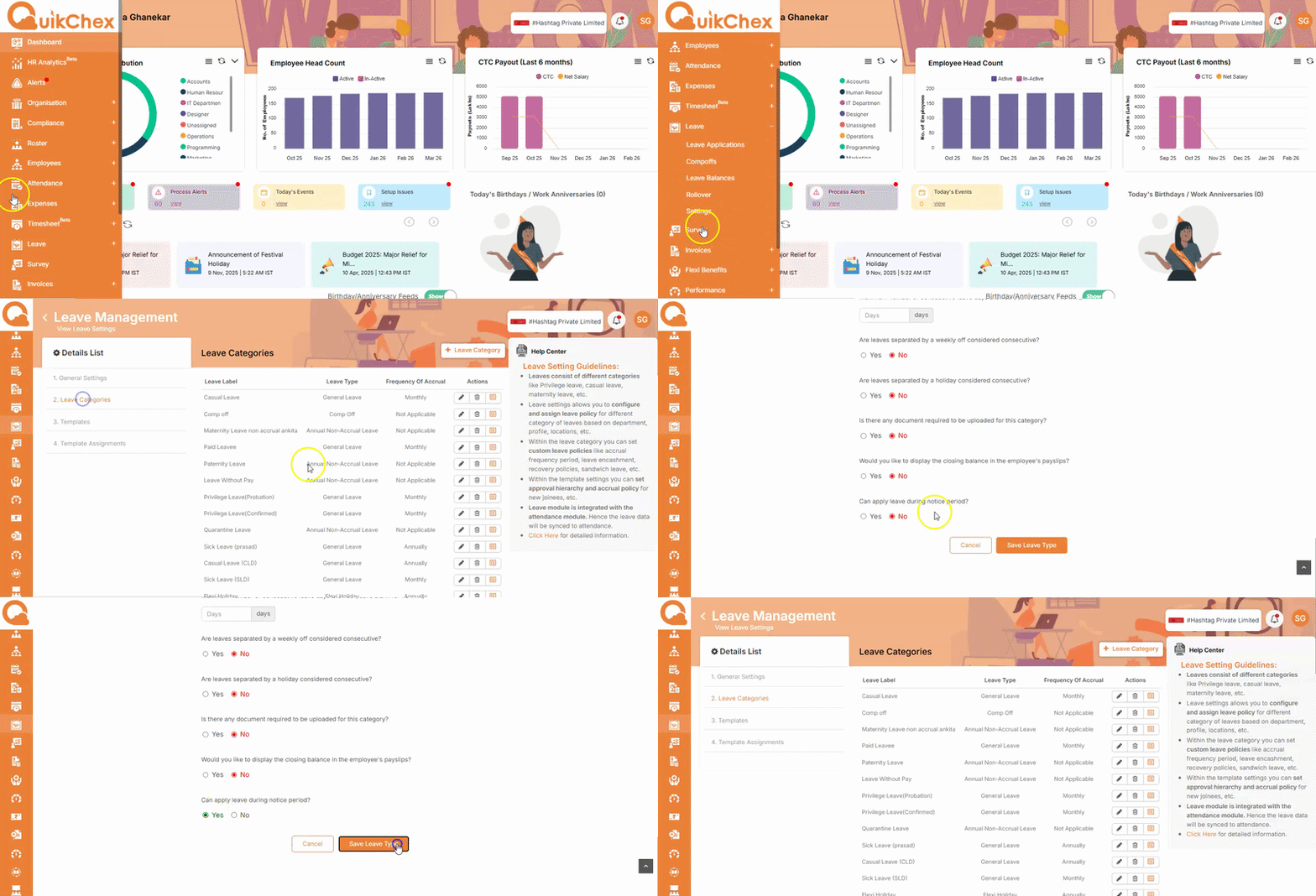
Steps to Configure:
- Go to the Leave Module
- Click on Settings
- Navigate to the Leave Category section
- Select the respective leave category for which you want to apply the restriction
- Click on the pencil (edit) icon
-
Locate the option:
“Can apply leave during notice period”
Set it as per your requirement:
- No → Employees will not be able to apply leave during the notice period
- Yes → Employees will be allowed to apply leave
- Click on Save