How to Enable Goal Approval via Email ?
To make the goal approval process more convenient, you can enable approvers to approve or reject goals directly through email. This helps save time and allows quicker decision-making without needing to log into the system.
Steps to Configure:
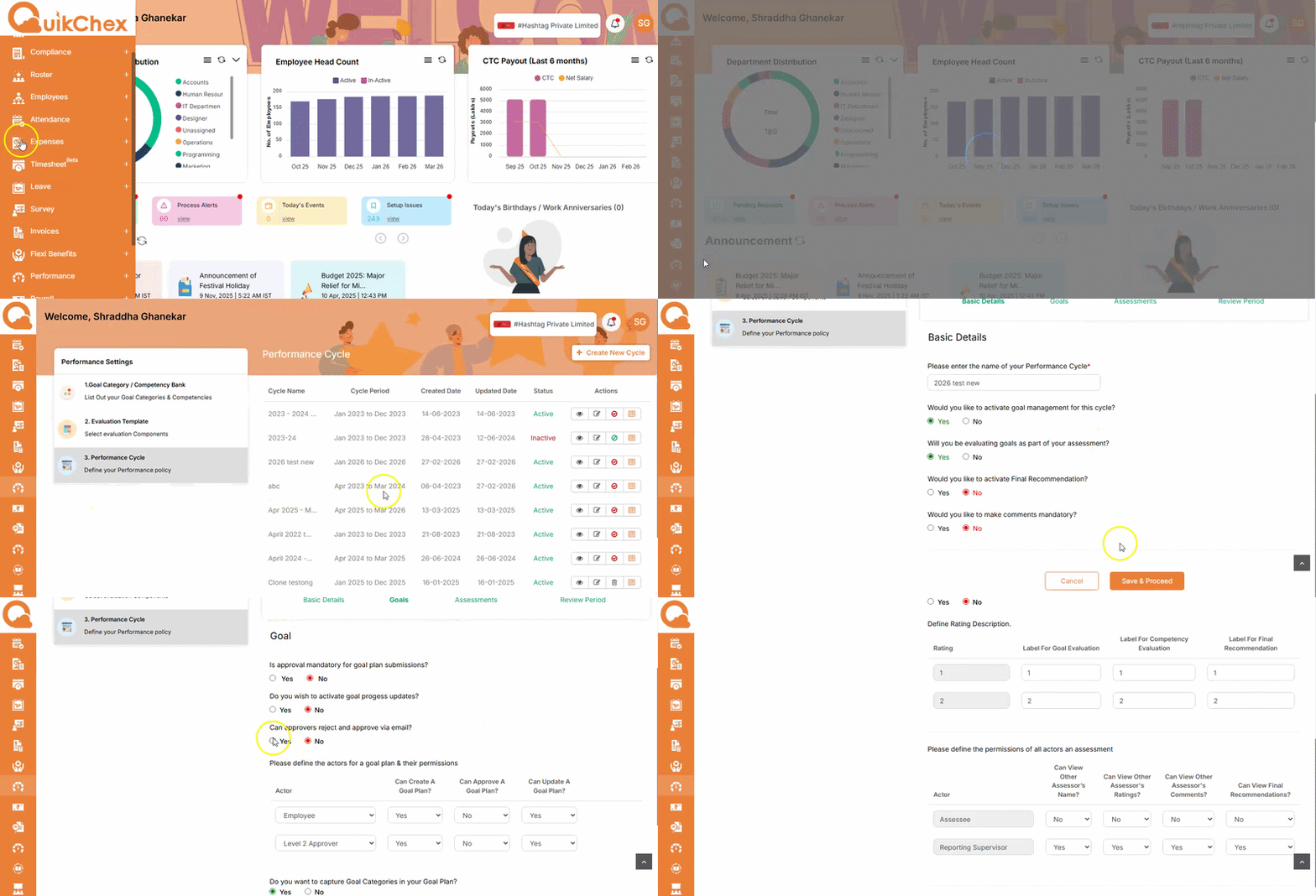
- Go to the Performance Module
- Navigate to Settings
- Click on Performance Cycle (third option)
- Go to the relevant cycle and click on the pencil (edit) icon
- Scroll down and click on Save and Proceed to reach the Goals page
-
Locate the option:
“Can approvers reject or approve via email?”
- Select Yes
- Click on Save