
How to Configure Leave Encashment in Quikchex
Overview
The Leave Encashment feature in Quikchex allows employees to apply for encashment of eligible leave balances based on the organization's leave policies and configured eligibility criteria.
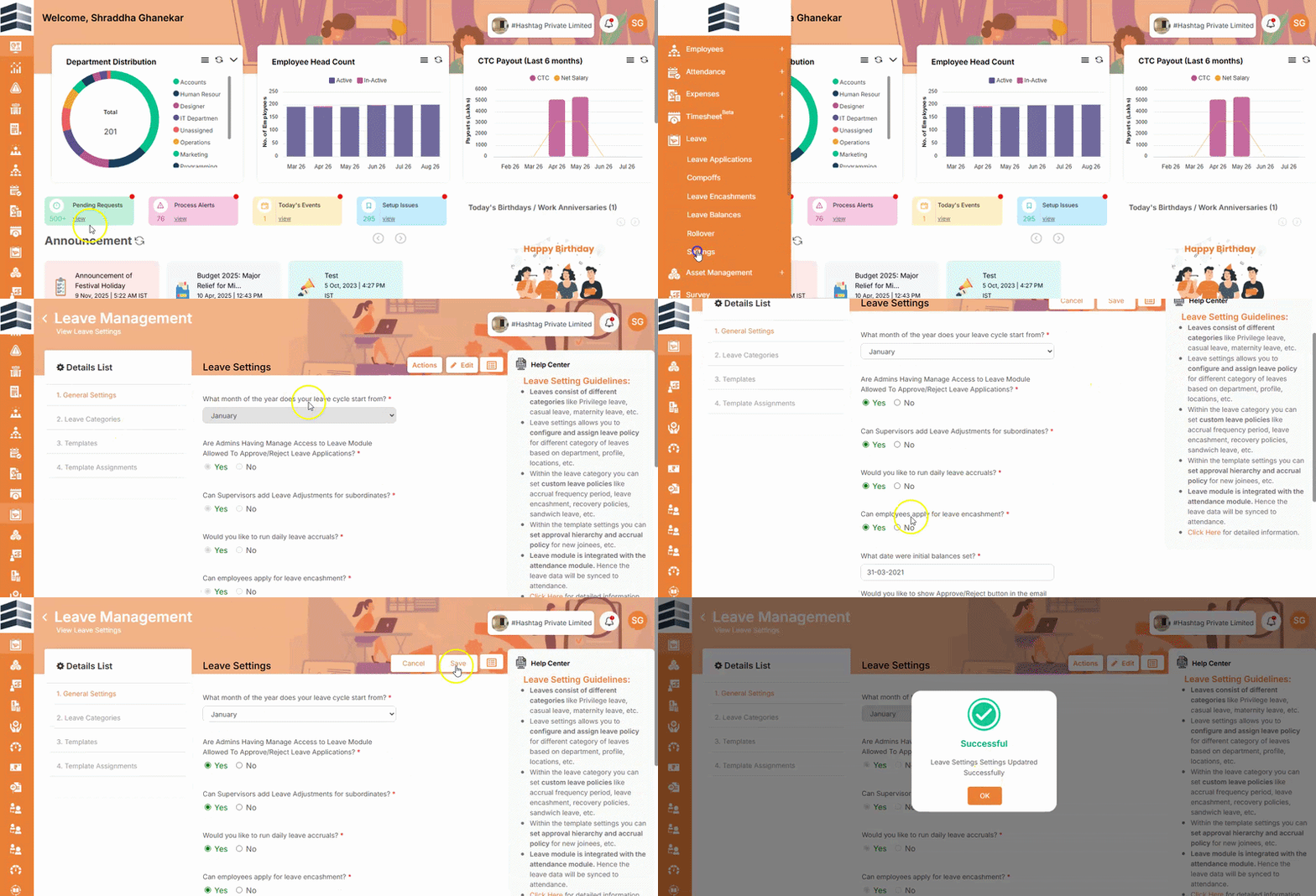
Step 1: Enable Leave Encashment for Employees
- Go to Leave.
- Navigate to Leave Settings.
- Under General Settings, click the Pencil/Edit icon.
- Locate Can employee apply for leave encashment?
- Select Yes.
- Click Save.
This enables employees to apply for Leave Encashment from the system.
Step 2: Configure the Leave Category
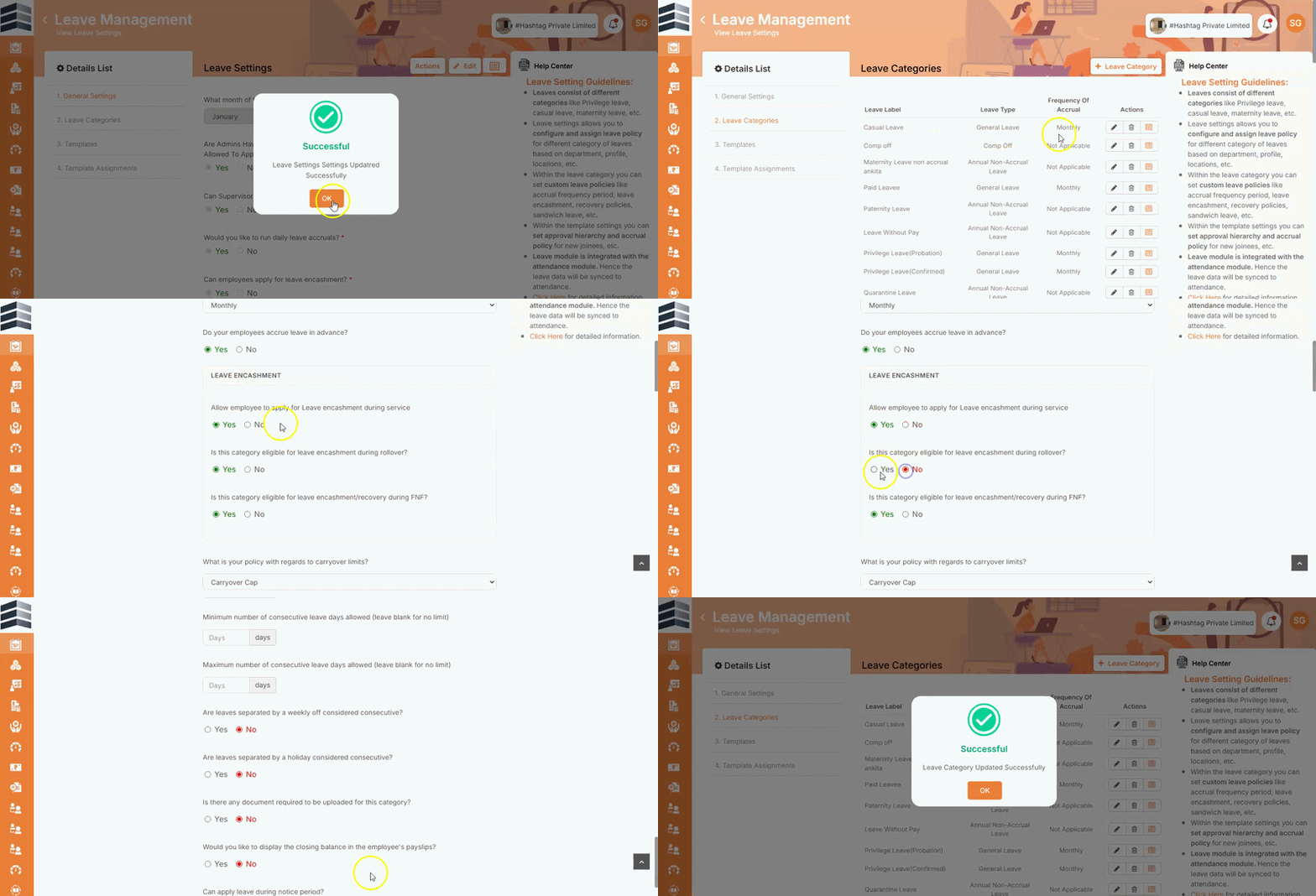
- Go to Leave Settings → Leave Categories.
- Select the leave category for which Leave Encashment should be applicable.
- Click the Pencil/Edit icon to edit the leave category.
- Scroll down to the Leave Encashment section.
- Configure the following options according to the organization's policy:
- Allow employee to apply for leave encashment during service?
- Is this category eligible for leave encashment during absence?
- Is this category eligible for leave encashment or recovery during absence?
- Select Yes or No for each option as applicable.
- Click Save.
Step 3: Configure Leave Encashment in the Leave Template
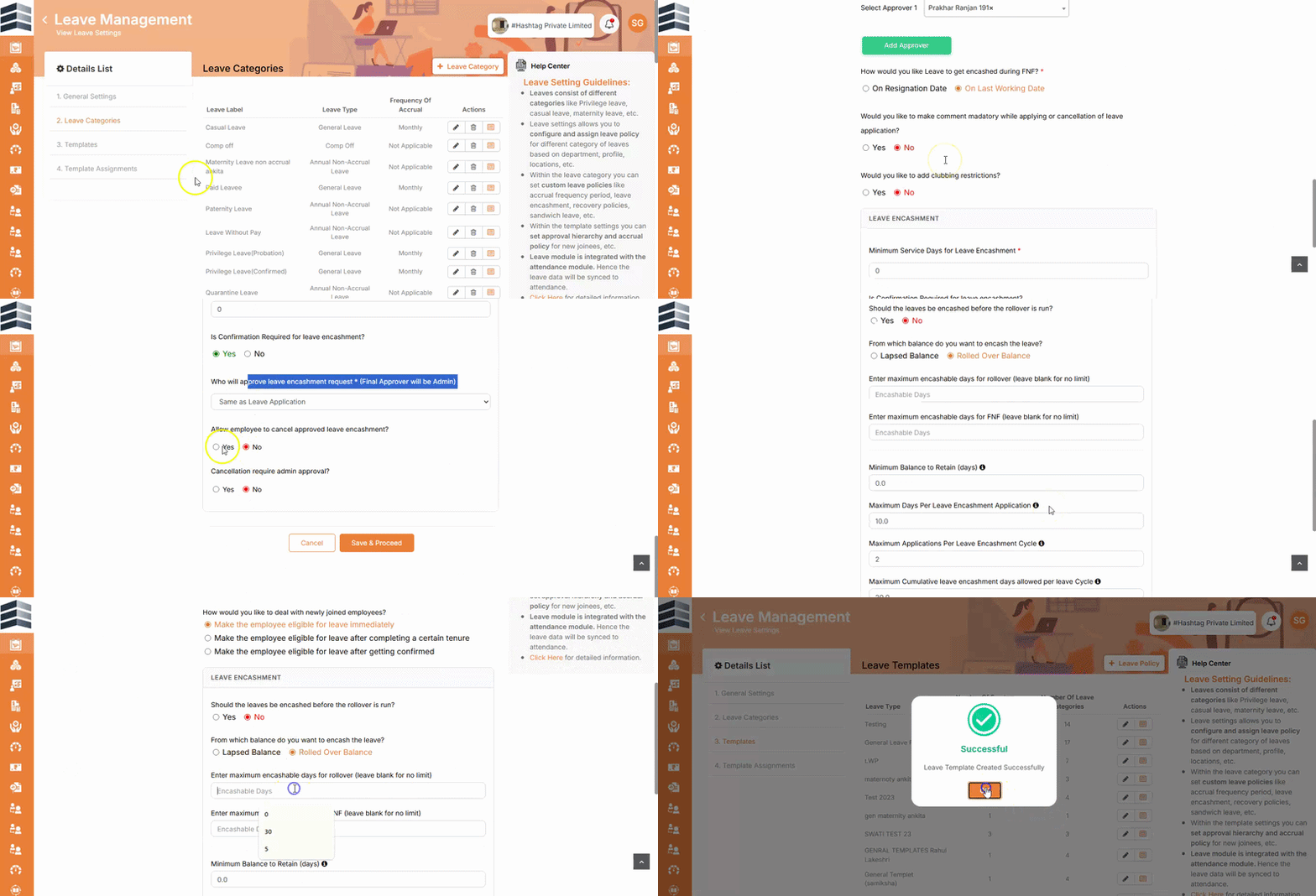
- Go to Leave Templates.
- Select the relevant leave template.
- Click the Pencil/Edit icon.
- Scroll down to the Leave Encashment section.
- Configure the required settings, including:
- Minimum service days for leave encashment
- Is confirmation required for leave encashment?
- Approval required for leave encashment
- Under the approval settings, select the applicable approval type:
- Same as any application – Follows the existing Leave Application approval workflow.
- Admin Approval – Requires approval from an administrator.
- Select Yes or No for the applicable settings according to the organization's policy.
- Click Save and proceed through the remaining pages until the final page to complete the configuration.
Configuration Summary
For Leave Encashment to work as expected, ensure that the required settings are configured at all three levels:
| Configuration | Purpose |
|---|---|
| General Settings | Enables employees to apply for Leave Encashment |
| Leave Category | Defines whether the selected leave category is eligible for encashment |
| Leave Template | Defines eligibility criteria and the approval workflow |
Once these settings are configured, employees will be able to apply for Leave Encashment based on the configured leave category, leave template, eligibility criteria, and approval workflow.